Pick your fast and start.
16:8 means 16 hours without food and an 8-hour window to eat. Choose that, 18:6, 20:4, one meal a day, 36 hours or your own length. Started late? You can change the start time afterwards.
 Download
Faaast for iPhone
Start a fast and every hour you get through fills a block. You can see how far you’ve come, and the last few hours get a lot easier.

Start in a tap.
See every hour you’ve done.
Build a streak, day by day.
Your data stays with you.
A fast, start to finish
16:8 means 16 hours without food and an 8-hour window to eat. Choose that, 18:6, 20:4, one meal a day, 36 hours or your own length. Started late? You can change the start time afterwards.
The clock still counts the minutes, but the blocks show the bigger picture: 13 done, 3 to go. It’s easier to keep going when you can see it.
Faaast shows the stage you’re likely in, from digesting your last meal to burning fat to ketosis, and lets you know when you reach the next one. Log water and electrolytes as you go.
Every hour after your goal shows up as a flame block. It’s a small touch, but it’s surprisingly hard to stop at one.
Tap End fast and the day fills in on your calendar. Fast on days in a row and they join into a streak.
Timer styles
Ticks, Digital and Countdown are in the app too.
Tracking
Each fast goes on the day it ends. Days in a row join into streaks, so a good week is easy to spot, and so is the day you missed.
And there’s more
Me
Your average and longest fast, total hours and best streak. With Pro, your weight on a chart, heading for your goal.
Achievements
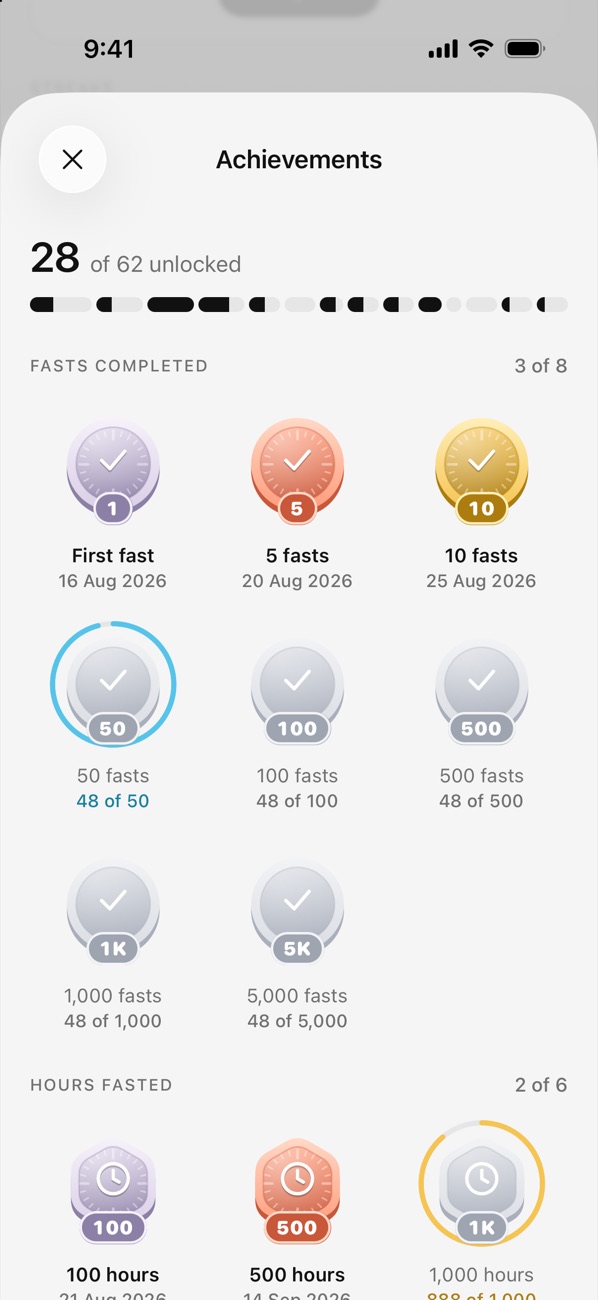
For your first fast, your 100th hour, a perfect week, and a few hidden ones you’ll have to find yourself.
Widgets
Widgets for your Home Screen and Lock Screen. One of them can start or end a fast right there.
Progress photos
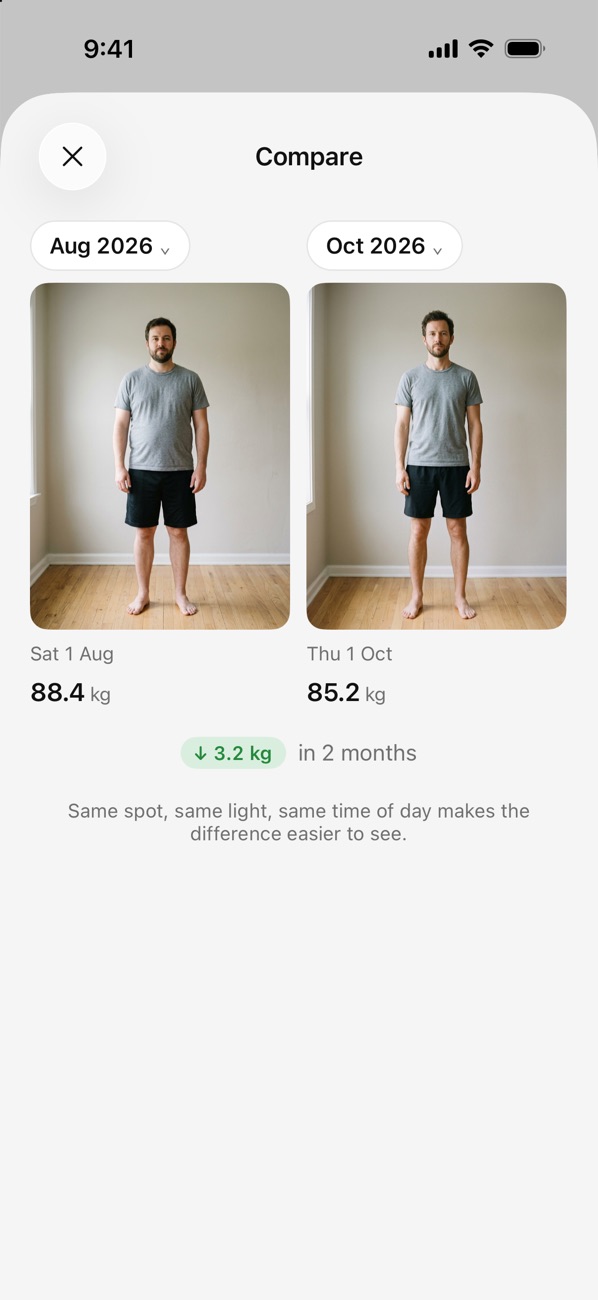
Take a photo each month. A faint outline of the last one helps you stand the same way, so the two line up side by side. They stay on your iPhone, and you can lock them with Face ID.
Light and dark
Faaast follows your iPhone’s light or dark setting. You can pick the app icon too: Ink, Paper or Ember.


Recaps
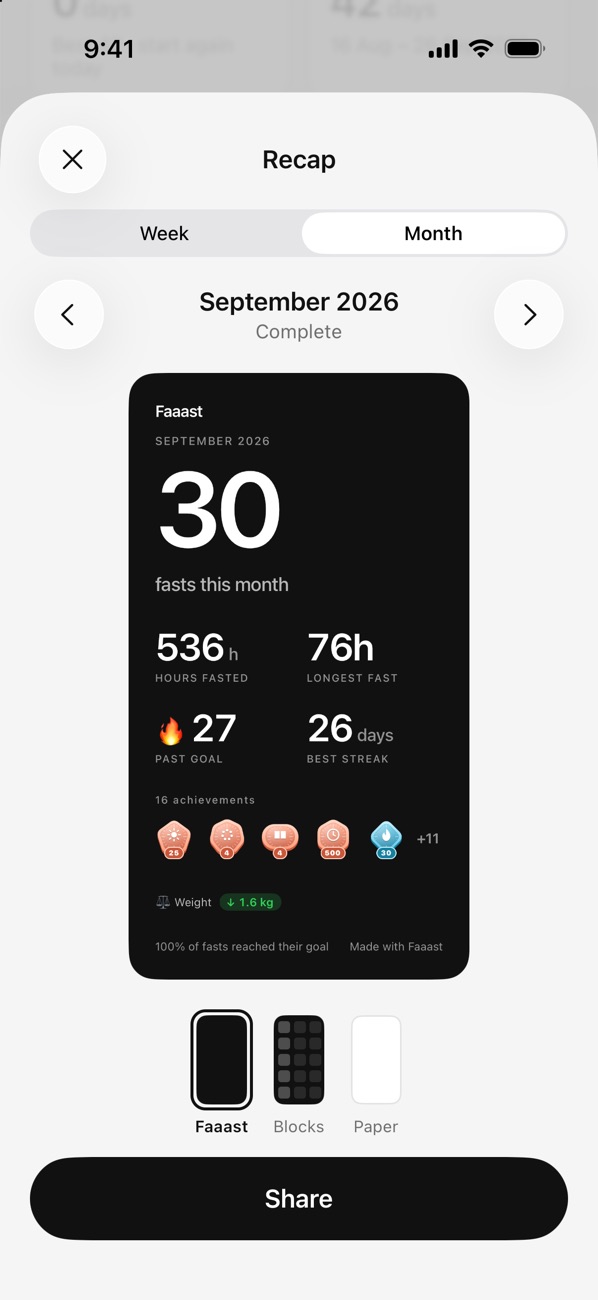
Your fasts, hours, longest fast and best streak on one card, in three styles. Share it or keep it.
Privacy
Your fasts, weight and photos live on your iPhone, not on our servers. Turn on iCloud backup and they go to your own iCloud. Coming from another app? Import your history from a CSV or JSON file, and export everything whenever you like.
Faaast Pro
The timers, calendar, records, weight, progress photos, widgets and every badge cost nothing. Pro is for when you want more detail on each fast.
Start Pro from inside the app. Prices shown in euro; the App Store shows your local price. Subscriptions renew automatically unless cancelled at least 24 hours before the end of the period. Manage or cancel in your App Store account settings.
The short version
It times your fasts. Start one when you finish eating, watch the hours fill, and end it at your next meal. Each fast goes on a calendar, so over the weeks you can see your streaks, your records and how you’re getting on. You can track your weight and take progress photos in the same app.
Yes. Timing fasts, the calendar, records, weight, progress photos, widgets and all 62 badges are free, with no time limit. Faaast Pro adds fasting stages, water and electrolytes, a weight chart, Apple Health, iCloud backup and three more timer styles.
No. Open the app and start, there’s nothing to sign up to. Your fasts, weight and photos stay on your iPhone, and go to your own iCloud only if you turn on backup.
They describe how long you fast. 16:8 is 16 hours without food and an 8-hour window to eat. 18:6 and 20:4 work the same way. OMAD means one meal a day, which is about 23 hours of fasting. Faaast also has 12:12, 14:10, 36 hours, or any length you set.
Yes. Export your fasts from your old app as a CSV or JSON file, then import them in Faaast from Settings → Your data. You can export everything from the same place.
Yes. Go to your iPhone’s Settings → your name → Subscriptions. Lifetime is a one-off purchase, so there’s nothing to cancel.
No. Fasting stages are typical timings, and everyone is different. Don’t fast without medical advice if you’re pregnant or breastfeeding, under 18, have had an eating disorder, or take insulin or other glucose-lowering medication.
Need more help? hi@arecon.eu
Free on the App Store. No sign-up.
And yes, three a’s. The last few hours of a fast feel about that long.